
~20 min
to provision a new town’s site on production hosting
Any language
multilingual publishing on every site
Nightly
backups, kept for 30 days
GPL-2.0+
open-source code you can download and take with you
From provisioned to published
A branded site, structured content, and editing anyone can use — the same workflow whether you run one municipality or manage many.
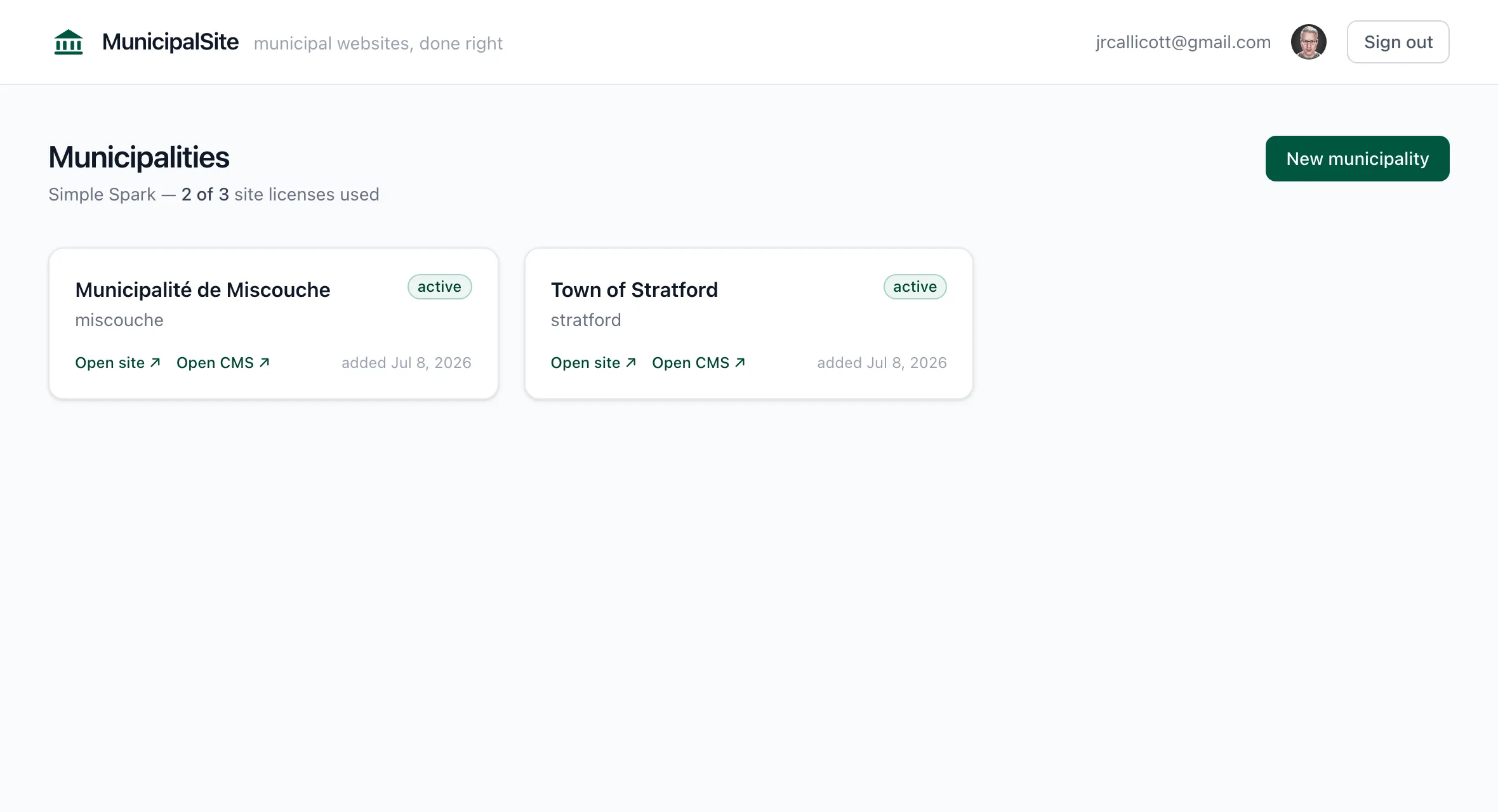
Provision a branded site from the dashboard
Create a new municipality from the dashboard and the platform builds it already structured (council, meetings, documents, news, alerts, and forms) with its own colors, logo, and typography. On production hosting that takes about 20 minutes. Nothing starts from a blank screen.
A single dashboard for one site or a portfolio of them. We provision a site live in the walkthrough.
Content structured for residents
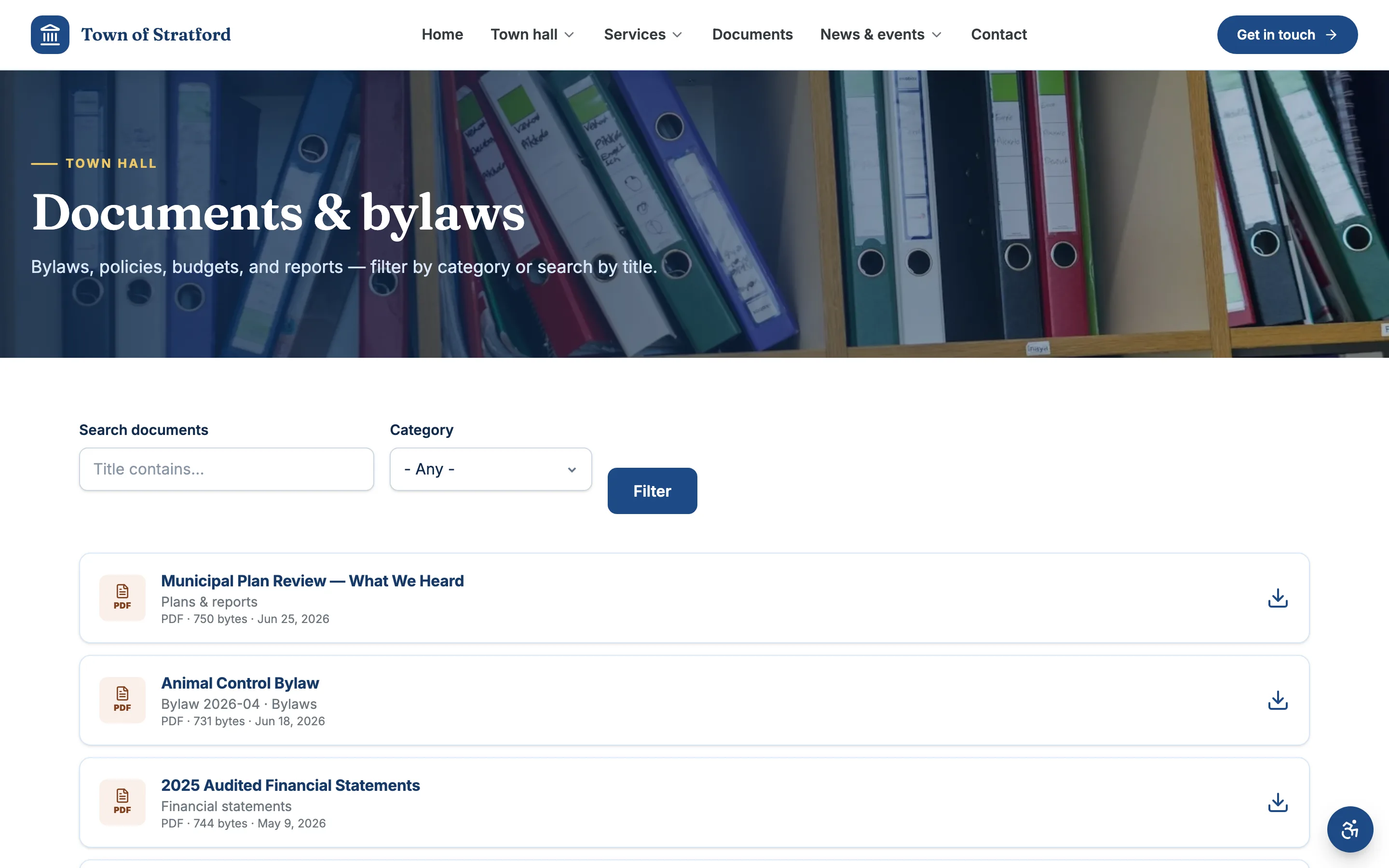
Bylaws, minutes, news, and rosters live in purpose-built sections — searchable, filterable, and organized the way residents expect to find them, instead of buried in a pile of pages.
Each document has a category, date, and number, so the library can be filtered and searched (see the screenshot).
Edit everyday content from a simple form
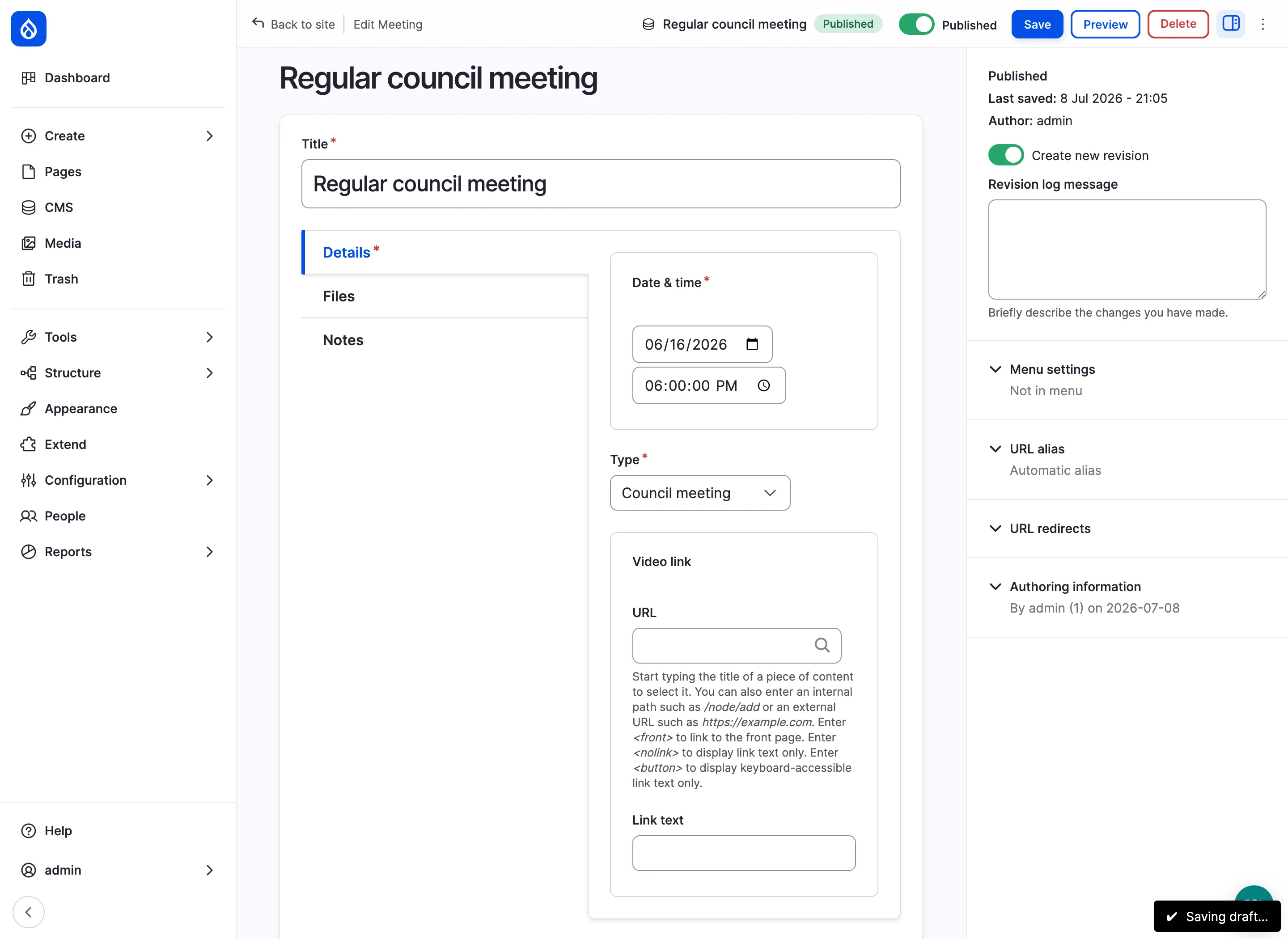
Everyday updates (a meeting, a news post, a document) are forms staff fill in, with no code needed. Roles are scoped so each editor sees only what they manage, and the platform handles hosting, security, and updates underneath.
Designed so staff can start publishing after a short walkthrough. We demonstrate the editor live.
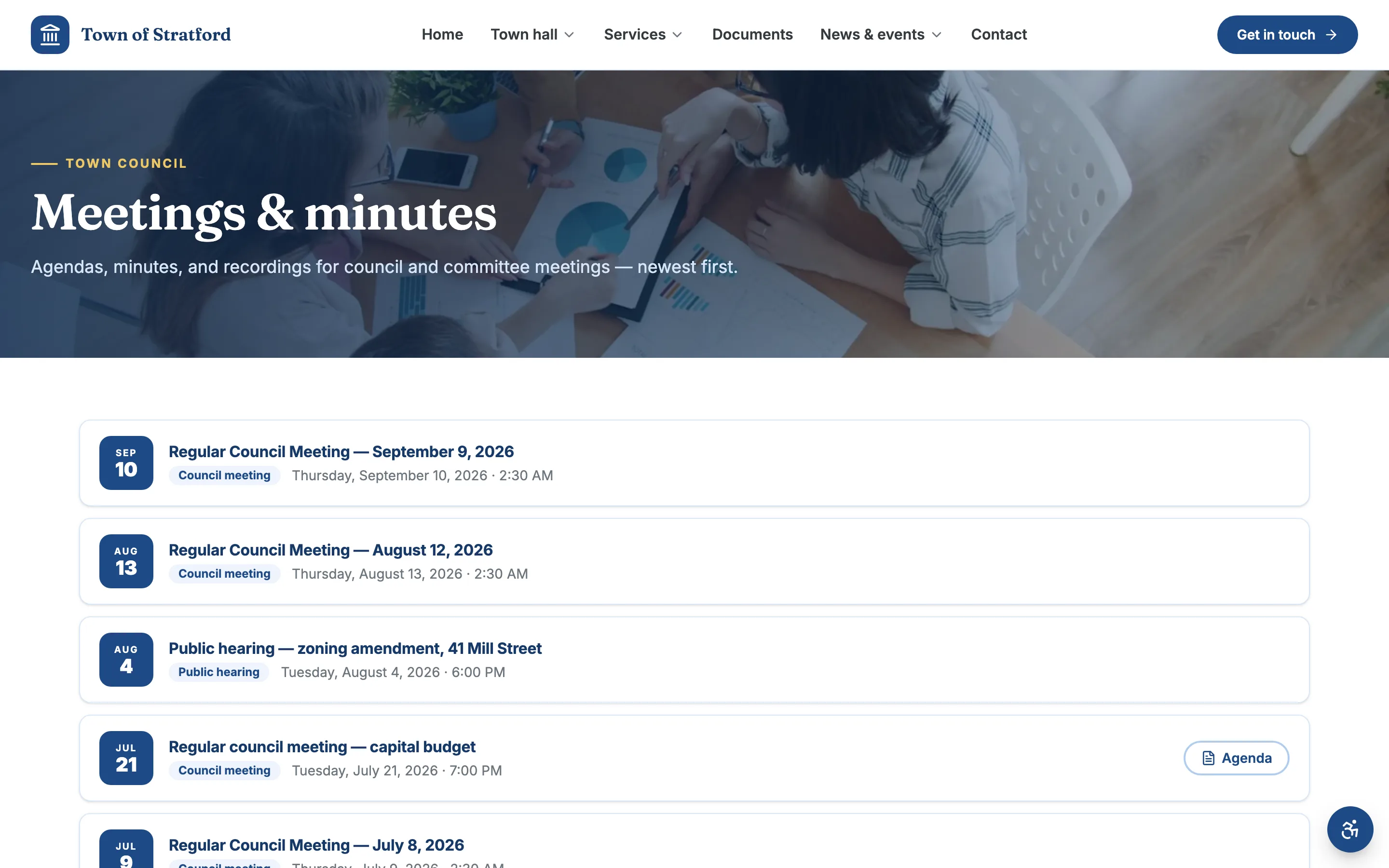
Municipal website features included on every site
The things a municipal website is for, set up on every site. Here’s the short list; the full tour, with screenshots, is one click away.
Staff edit content. We run the hosting.
Everyday content is a simple form; the hosting underneath is managed. The same split works whether a town clerk keeps one site current or an agency runs a portfolio of them.
Editors edit
Post news, upload minutes, update hours — simple forms for everyday content. And when a page needs rearranging, editors move ready-made sections around visually. Roles are scoped, so everyone sees only what they manage. No code is needed for everyday updates.
The platform handles
Every site runs on the same foundation, Drupal 11, an open-source CMS. An automated pipeline checks for Drupal security advisories every night and rolls fixes out across all sites. See what managed hosting covers.
- Custom branding: colors, logo, and type per site
- Hosting, nightly backups, and security updates included
- Software upgrades rolled out for you, not by editors
- Manage one site or a portfolio from one dashboard
Easy to leave. Your content stays yours. Download the database, files, and code from the dashboard.
Proof you can check yourself
MunicipalSite is in beta and has no customer testimonials to quote yet. Instead of anonymous praise, here is what you can verify yourself.
Drupal 11, GPL-2.0-or-later
Sites run on Drupal 11. The code is licensed GPL-2.0-or-later, so another vendor can run it if you ever move. Ask for the license file in the walkthrough.
We create a site while you watch
In the walkthrough we provision a municipality from the dashboard and open a finished demo site: the public pages, then the staff editor. You see the same workflow your staff would use.
WCAG 2.2 AA is the target, and we show how it is checked
Templates are built to WCAG 2.2 AA and reviewed with automated and manual checks. It is a target, not a certification, and your content has to stay accessible too. Read the accessibility guide for what is and is not covered.
Read the accessibility guideDownload the whole site yourself
From the dashboard you can download the database, uploaded files, and the code that runs the site, with restore instructions, without opening a support ticket.
Municipal website buyer’s guides and checklists
Practical, source-backed guidance for municipal staff and agencies evaluating platforms, accessibility, migration, and resident services.
How to choose local government website software
Define the website job, evaluate staff workflow, plan migration, and ask vendors questions that expose the real operating model.
Read the guide Government CMSWhat a useful municipal portal actually needs
A practical requirements guide for resident tasks, structured civic content, search, governance, integrations, and ownership.
Read the guide AccessibilityAccessibility is a practice, not a widget
Understand how templates, staff content, documents, testing, procurement, and resident feedback work together.
Read the guideQuestions small-town buyers ask first
Straight answers, including what the platform does not do yet.
Does MunicipalSite support multilingual publishing?
Yes. Every site is multilingual and can publish in any language your residents need, with a language switcher. Pages, documents, news, and alerts can each have translated versions, and staff enter them beside the original in the same editor. Adding a language is a setting, not a rebuild.
Can residents book halls, rinks, and pavilions, and does it sync with our calendar?
Each facility gets its own page with hours, photos, and a Book button that sends residents to your existing reservation system. There is no two-way calendar sync built in today, so bookings stay in the system you already use. Ask about your specific booking or calendar tool in a walkthrough and we will tell you plainly what connects.
How do payments work without custom code?
MunicipalSite does not process payments. Staff add “Pay online” links on the relevant pages that go straight to your existing payment provider, so there is no code to write and no card data on the website.
Can one dashboard manage several municipal sites?
Yes. The dashboard lists every site under an account with links to the public site and the editor, and creates new municipalities. An account is limited to the number of site licenses it holds.
Are backups and security updates included?
Yes. Every site is backed up nightly with 30 days of retention, and security advisories for Drupal and the PHP runtime are patched and rolled out across all sites by an automated pipeline. The managed hosting page explains exactly what runs and when.
What is the pricing model?
Accounts are licensed by the number of sites. We do not publish a price list yet, so pricing is quoted after a walkthrough, once we know how many sites and how much migration work is involved. Email hello@municipalsite.com if you want to start with pricing.
What a hard-to-update website costs your office
When agendas, bylaws, and notices are hard to publish, they go up late or not at all. Residents then phone or visit the office to ask for them, and staff time goes to answering the same questions again. Unpatched software is the other risk: a site nobody maintains is a site nobody has patched. That is the work a managed platform takes off a small team.
See the platform on a real site.
Book a 30-minute walkthrough and explore a live municipal site: real pages, real documents, real editing, branded and running on MunicipalSite. You leave knowing whether the model fits and what migration and launch would involve.